
WinkTerm
AI that shares your terminal session — not a chatbot that suggests commands, but a collaborator that types alongside you in the same PTY.
与你共享终端会话的 AI —— 不是只会建议命令的聊天机器人,而是在同一个 PTY 中与你并肩操作的协作者。
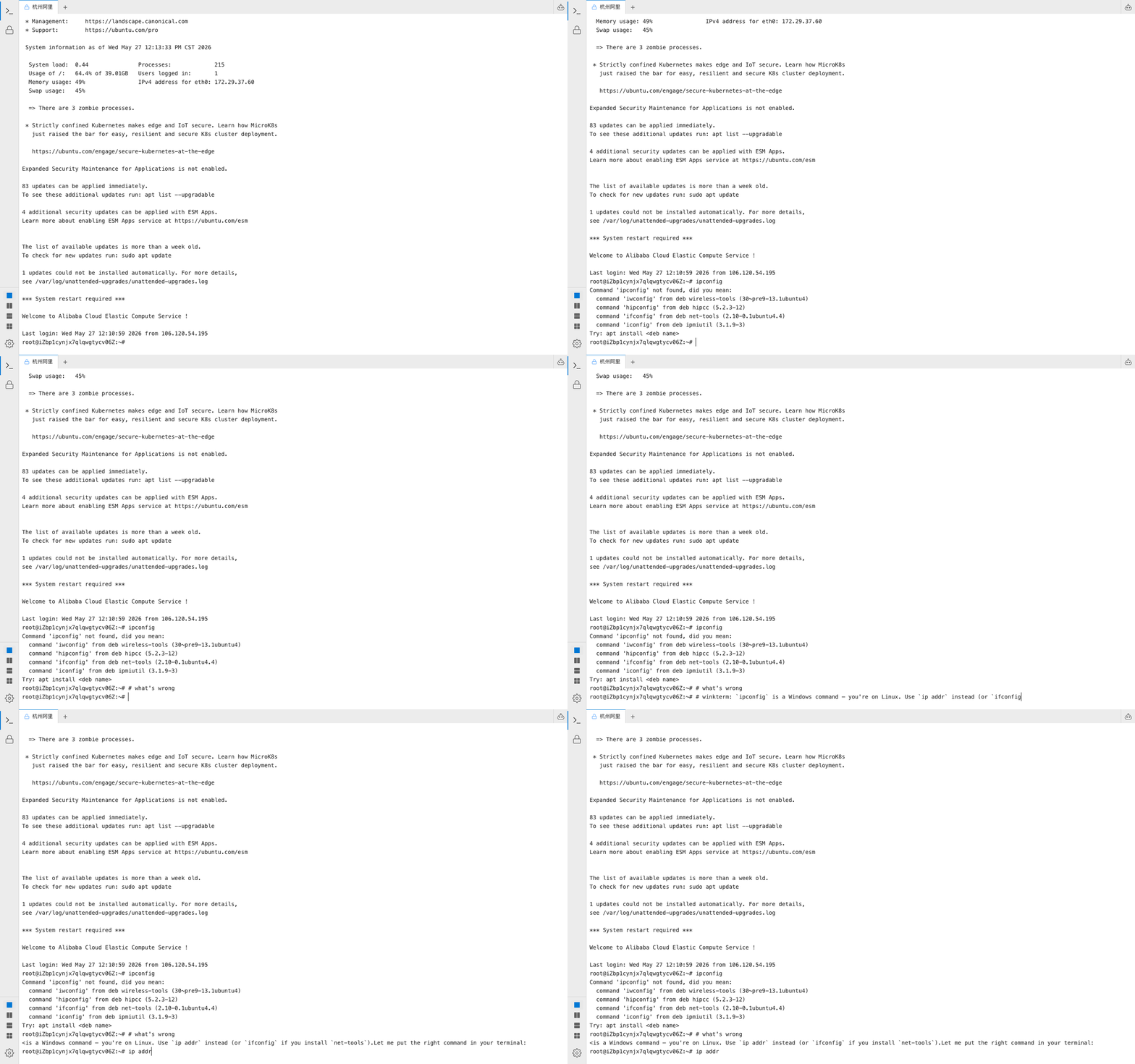
Real SSH session — AI answers in the same terminal and pre-fills the fix.
真实 SSH 会话 — AI 在同一终端中回答并预填修复命令。
Features
特性
Shared PTY Session
共享 PTY 会话
AI and user operate in the same terminal process. No copy-paste, no detached suggestions.
AI 与用户在同一终端进程中协作,无需复制粘贴,也不会出现脱离上下文的建议。
In-Terminal Chat
终端内对话
Type # followed by your question right at the shell prompt. No alt-tab needed.
在 shell 提示符处输入 # 加问题即可,无需切换窗口。
SSH & File Transfer
SSH 与文件传输
Connect to remote servers with AI-assisted operations and built-in file transfer.
连接远程服务器,AI 辅助运维,内置文件传输。
Bring Your Own LLM
自带 LLM
OpenAI, Anthropic, Ollama, or any OpenAI-compatible endpoint.
支持 OpenAI、Anthropic、Ollama 及任意 OpenAI 兼容端点。
Docker & Desktop
Docker 与桌面版
Deploy with docker compose or download the native desktop app for Windows and macOS.
docker compose 一键部署,或下载 Windows / macOS 原生桌面应用。
Open Source
开源
MIT licensed. Self-hosted. Your data stays on your infrastructure.
MIT 协议,可自托管,数据留在你的基础设施内。
How it works
工作原理
The AI writes directly into your input line. You stay in control.
AI 直接写入输入行,执行权始终在你手中。
Install
安装
Then open http://localhost:3000
然后打开 http://localhost:3000
Comparison
对比
| WinkTerm | Warp | Tabby | Claude Code | |
|---|---|---|---|---|
| Shared PTY共享 PTY | Yes | — | — | — |
| Open source开源 | Yes | Yes | Yes | — |
| Self-hosted / BYO LLM自托管 / 自带 LLM | Yes | — | — | Yes |
| Web UIWeb 界面 | Yes | Yes | Yes | — |
| SSH + file transferSSH + 文件传输 | Yes | — | Yes | — |
| Desktop app桌面应用 | Yes | Yes | Yes | — |